
OpSpot Blog
Industry Best Practices
Commercial Fit-Out Schedule Template: The Trade Sequence, Week by Week
29 October 2026



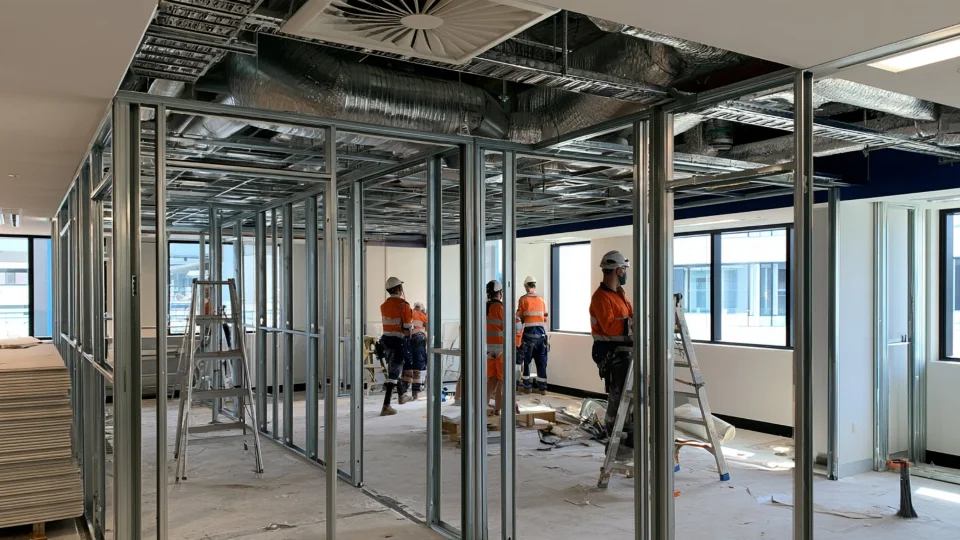
Short answer: a commercial fit-out runs in a predictable order: strip-out, set-out and wall framing, services rough-in in the ceiling and walls, ceiling grid and wall sheeting, setting and painting, joinery and glazing, ceiling tiles and fit-off, floor finishes, then testing, cleaning and handover. Below is a six-week example programme for a small office tenancy, the hold points that stop rework, and a template you can copy.
This is a typical sequence for a small office fit-out. Your programme depends on the size of the job, approvals and lead times, so adjust the durations to suit.
Before day one
- Approvals: confirm what the job needs, for example landlord and building manager approval, and any building approval for the work.
- Long-lead items: order joinery, glazing, doors and hardware, and any mechanical units before you start. They usually set the pace, not the trades on site.
- Subcontractors: collect licences, insurance and SWMS before anyone starts (see our subcontractor pre-qualification checklist).
- Book the trades: lock in each trade's dates now, then confirm a week out.
Six-week example programme
| Week | Stage | Trades | Typical work |
|---|---|---|---|
| 1 | Strip-out and set-out | Demolition, electrician, carpenter | Make services safe, strip out old partitions, ceilings and floor coverings, mark out new walls |
| 2 | Framing and ceiling rough-in | Carpenter or partition installer, mechanical, fire services, electrician, data | Wall tracks and studs; ductwork, sprinkler changes, cabling and data runs in the ceiling |
| 3 | In-wall rough-in and sheeting | Electrician, data, plumber, plasterer | Cabling and plumbing in the walls, then plasterboard once they're checked; ceiling grid goes up |
| 4 | Setting, painting, joinery | Plasterer, painter, joiner, glazier | Set and sand, first coats of paint, kitchenette and reception joinery, glass partitions and doors |
| 5 | Ceilings, fit-off, floors | Ceiling fixer, electrician, data, mechanical, plumber, floor layer | Ceiling tiles, lights, diffusers and sprinkler heads; power, data and plumbing fit-off; carpet tiles and vinyl |
| 6 | Testing, finishing, handover | Mechanical, fire services, electrician, painter, cleaner | Testing and commissioning, paint touch-ups, signage, builders clean, defects walk, handover documents |
Hold points that stop rework
- No plasterboard until the in-wall services are in and checked. Cutting into new sheeting to add a power point costs more than waiting a day.
- No ceiling tiles until everything above the ceiling is finished, including mechanical, sprinklers, cabling and any inspections.
- No carpet or vinyl until painting and ceilings are done. Floor finishes go in after the messy trades leave.
- No handover without the paperwork: test results, certificates, warranties and as-built information for the client.
Template: copy this into your schedule
| Task | Trade (job type) | Start | Days | Depends on | Crew or subcontractor | Notes |
|---|---|---|---|---|---|---|
| Make services safe | Electrical | Week 1, day 1 | 1 | — | ||
| Strip-out | Demolition | Week 1, day 1 | 3 | Make services safe | Waste bins booked? | |
| Set-out of new walls | Carpentry | Week 1, day 4 | 1 | Strip-out | ||
| Wall framing | Partitions | Week 2, day 1 | 4 | Set-out | ||
| Ceiling services rough-in | Mechanical, fire, electrical, data | Week 2, day 1 | 5 | Strip-out | Coordinate access in the ceiling | |
| In-wall rough-in | Electrical, data, plumbing | Week 3, day 1 | 2 | Wall framing | Check before sheeting | |
| Wall sheeting | Plastering | Week 3, day 3 | 3 | In-wall rough-in | ||
| Ceiling grid | Ceilings | Week 3, day 3 | 3 | Ceiling services rough-in | ||
| Set and paint | Plastering, painting | Week 4, day 1 | 5 | Wall sheeting | ||
| Joinery and glazing | Joinery, glazing | Week 4, day 3 | 3 | Set and paint | Long-lead items | |
| Ceiling tiles and fit-off | Ceilings, electrical, data, mechanical, plumbing | Week 5, day 1 | 4 | Joinery, set and paint | ||
| Floor finishes | Flooring | Week 5, day 4 | 2 | Ceiling tiles, painting | ||
| Testing and commissioning | Mechanical, fire, electrical | Week 6, day 1 | 2 | Fit-off | ||
| Clean, defects and handover | Cleaning, all trades | Week 6, day 3 | 3 | Testing | Handover documents |
Running this schedule in OpSpot
- A booking for each block of work, with its dates, job type and the people attending. On a multi-day booking you choose who attends on each day (see Scheduling crews with the calendar, planner and Gantt).
- The planner's Classic view shows each job type as its own row, so it's obvious if the ceiling crew is booked before the electrician's rough-in is finished.
- See who's free before you book: choose a job type and OpSpot lists every staff member and subcontractor who does that work, with four weeks of availability (see Crew and subcontractor availability by trade).
- Reminders go to the workers, the client and the project manager, at the times you choose.
- Share a read-only Gantt chart with the client through a link that can expire, or export the planner to PDF for a site meeting.
FAQ
What order do trades go in on a fit-out? Strip-out, set-out and framing, services rough-in, ceiling grid and wall sheeting, setting and painting, joinery and glazing, ceiling tiles and fit-off, floor finishes, then testing, cleaning and handover.
How long does an office fit-out take? Our example is six weeks for a small office tenancy. Larger or more complex fit-outs take longer, and approvals and long-lead items such as joinery and glazing often decide the finish date.
Should I run my fit-out schedule in Excel? A spreadsheet works for one job and one scheduler. Once you're running several jobs with the same trades, you need to see who's free and avoid double bookings (see OpSpot vs spreadsheets).
Can my client see the schedule? In OpSpot, yes: share a read-only Gantt chart for their project. It shows the job number, not your other jobs or internal notes.